Shared inboxes for teams inside Gmail.
Turn your Google Groups into collaborative shared mailboxes. Assign emails, track statuses, and keep your team aligned — all without leaving Gmail.
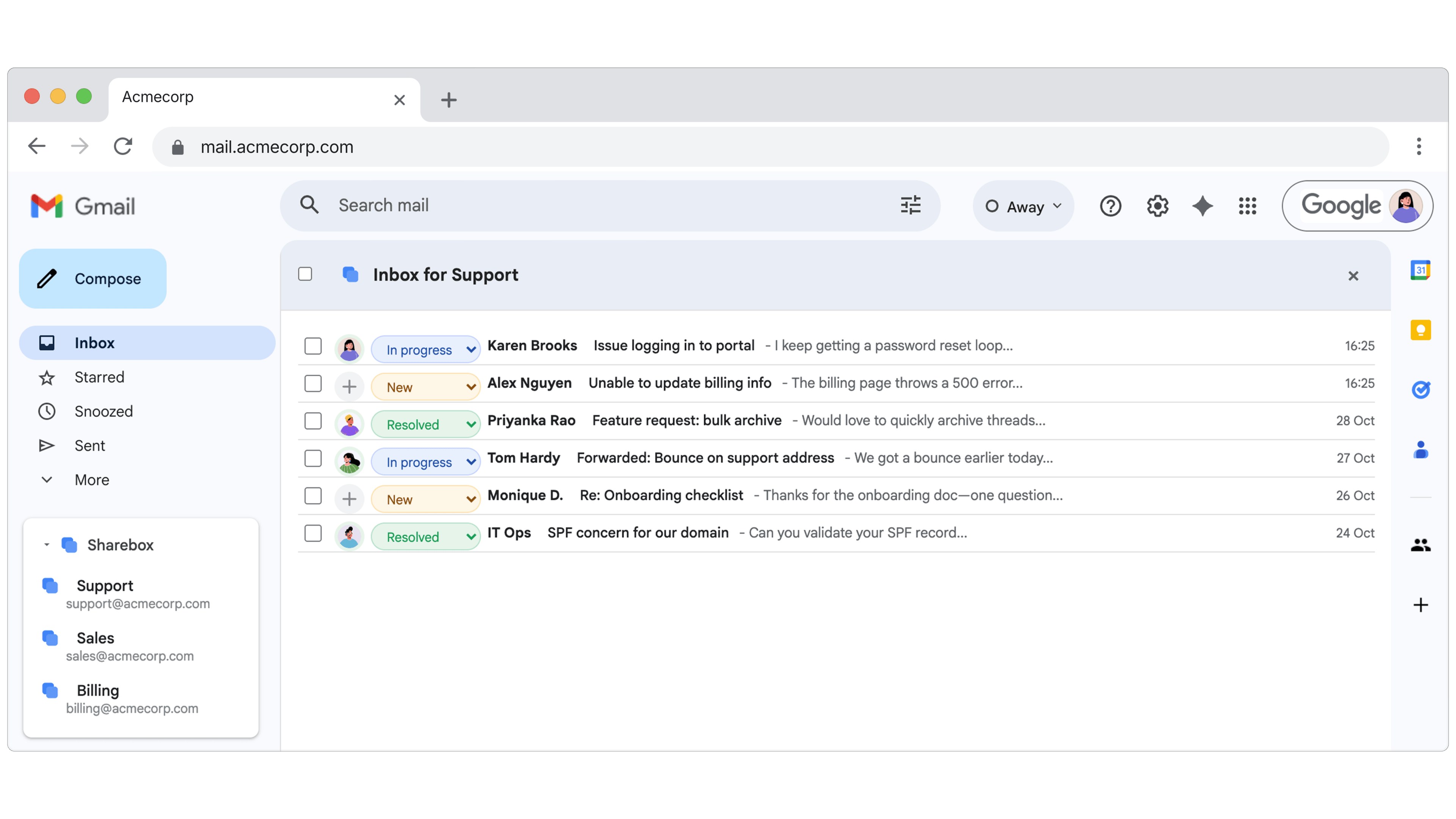
Assign emails to people
Click on any email and assign it to a teammate. They see it instantly. Everyone else knows it's handled. No more “did anyone reply to this?”
Custom statuses for every workflow
Start with New, In Progress, and Resolved — then create your own statuses with custom colours to match how your team actually works.
Stay in Gmail
No extra logins or new tabs. Sharebox is a Chrome extension that adds a sidebar to Gmail — your team doesn't need to learn anything new.
 JDIn progress
Other tools
Sharebox
No labels, no filters, no clutter
Unlike other tools, Sharebox doesn't modify your Gmail. Assignments are stored centrally — nothing breaks if someone changes their filters.
Set up in under 5 minutes
Install from Google Workspace Marketplace
Your Google Workspace admin installs Sharebox in one click. No servers, no APIs to configure.
Pick which Google Groups become shared inboxes
Toggle on the groups you want to manage. Sharebox configures collaboration settings automatically.
Your team opens Gmail and starts collaborating
The Sharebox sidebar appears in Gmail. Assign emails, set statuses, see what everyone's working on.
Built for teams that share an inbox
If your team manages a shared email address through Google Groups — support@, sales@, info@, hr@, billing@ — Sharebox gives your team the tools to assign, track, and resolve emails together. No more guessing who's handling what.
Frequently asked questions
Simple, transparent pricing
One flat price. No per-user fees. Start free — upgrade when your team grows.
Free
$0
forever
- Up to 2 shared inboxes
- Unlimited team members
- Email assignment & status tracking
- Chrome extension sidebar
Pro
$59
per month, flat rate
- Unlimited shared inboxes
- Unlimited team members
- Everything in Free
- Priority support
Turn Gmail into your team's shared inbox
Set up in minutes with your Google Workspace. No credit card required.